

In 2024, hackers orchestrated one of the largest cybersecurity breaches in history—leaking nearly 10 billion passwords in a text file on a public forum. This alarming event once again highlighted the vulnerability of traditional passwords and the urgent need for stronger digital security. The solution? One example: unstealable passkeys.
Passkeys represent a modern and highly secure authentication method that eliminates many of the risks associated with traditional passwords. These keys are stored exclusively on your device, integrated within password managers and operating systems, significantly reducing the risk of data breaches.
Traditional Passwords vs. Passkeys
At first glance, passkeys may seem similar to autofill password features found on websites and mobile apps. However, their security model is fundamentally stronger. Unlike passwords, passkeys are stored exclusively in password managers, and their validity is verified through advanced cryptography—without the need to transmit the actual key. This eliminates the risk of theft during transmission and makes phishing attacks ineffective.
Traditional Login
When logging in with a password, the user enters it on their computer, which then sends it to the website’s server for verification. The server checks the password and returns a response—either successful or failed—which is displayed to the user.

This process has multiple weak points where passwords can be compromised:
- The user stores the password insecurely—such as writing it down on paper or saving it in an unencrypted document.
- Someone observes them entering it—for instance, when typing on a public device.
- They enter it on a fake website—phishing attacks can mimic login pages to steal passwords.
- The password is intercepted during transmission—especially if it’s sent without encryption.
- Hackers access it directly from the service—if a password database is breached.
Biometric Login:
Unlike passwords, passkeys use a more complex yet far more secure authentication process:

How It Works
- The user initiates login. Their computer sends a request to the server: “I want to log in.”
- The server responds with a challenge. This is a one-time code confirming that the login is happening in real-time.
- The computer forwards the challenge to the password manager. The password manager securely stores passkeys.
- The password manager prompts the user for authentication. This could be a system prompt, an approval request on another device, or biometric verification.
- The user verifies their identity. This could be via fingerprint scanning, facial recognition, or a PIN.
- The password manager generates a digital signature. This signature confirms the authentication request without exposing the passkey itself.
- The signature is sent back to the computer.
- The computer transmits the signature to the server for verification.
- The server verifies the signature and grants access. The user is now securely logged in.
Implementing passkeys requires additional effort from developers, including cryptographic library support, biometric authentication integration, and compatibility testing with password managers. However, the benefits far outweigh the challenges:
- Passkeys are securely stored in password managers, eliminating the need for users to manage their own password security.
- Authentication happens securely through cryptographic verification, without sending the actual key.
- Biometric authentication is fast and secure, making identity theft extremely difficult.
- Passkeys never travel over networks, eliminating the risk of interception.
- Each passkey is unique to a specific service, preventing phishing attacks.
- Services only process authentication keys, not the actual passkey, keeping accounts secure even if a breach occurs.
- Users no longer need to remember complex passwords, reducing frustration and login fatigue.
- Biometric login builds user trust, offering a seamless, secure authentication method familiar from everyday devices.
Biometric Passkey Login in Practice

The user selects the option to create a new passkey.
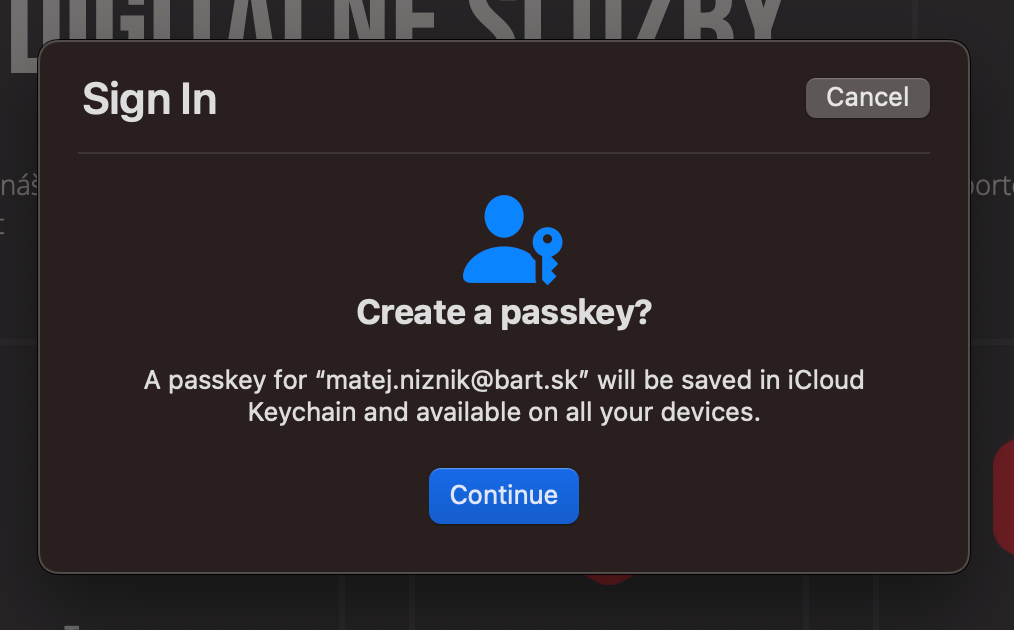
On macOS, a prompt appears to create a passkey for the active account, which the user confirms using biometrics.
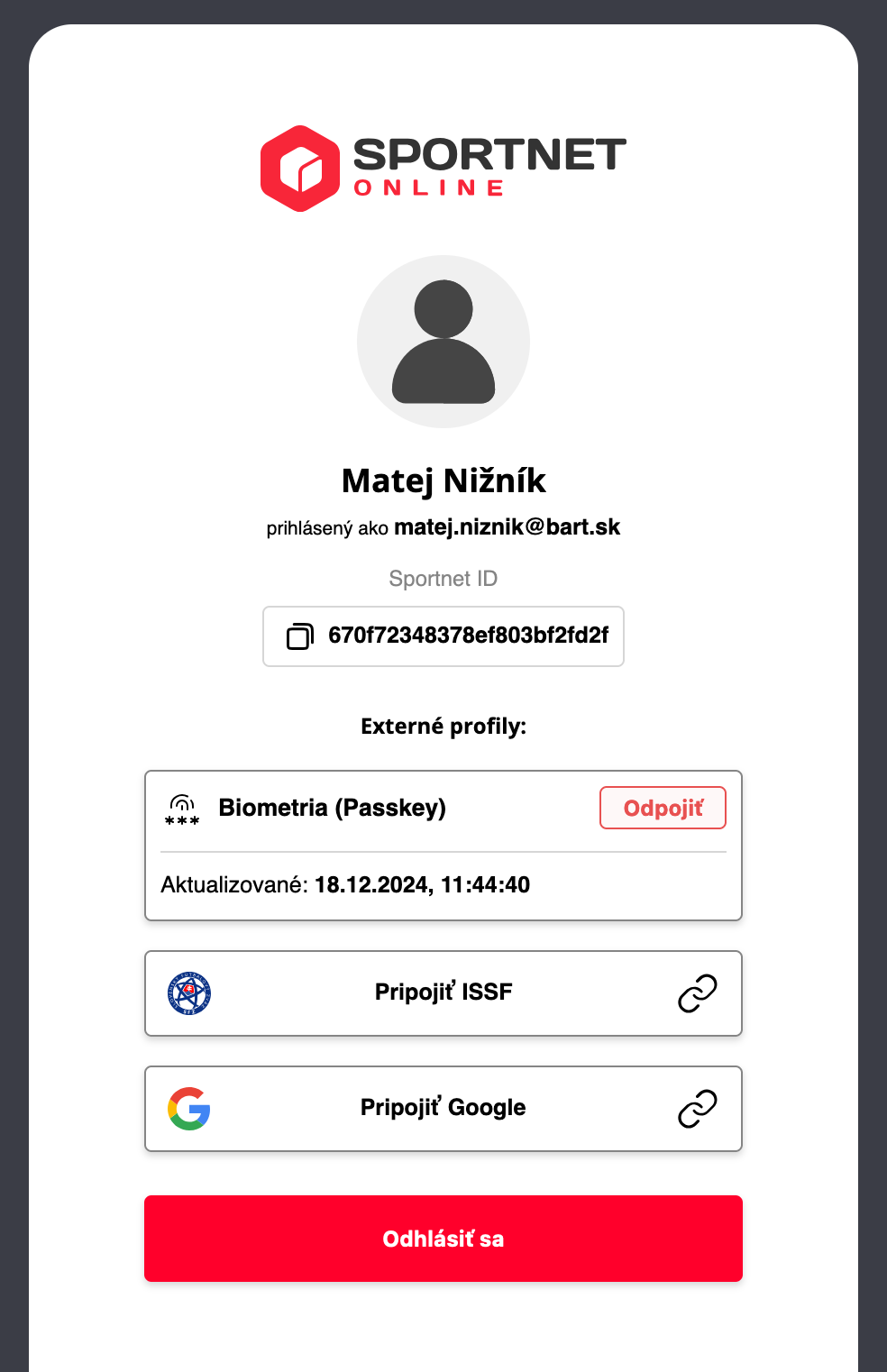
The service then enables passkey login.
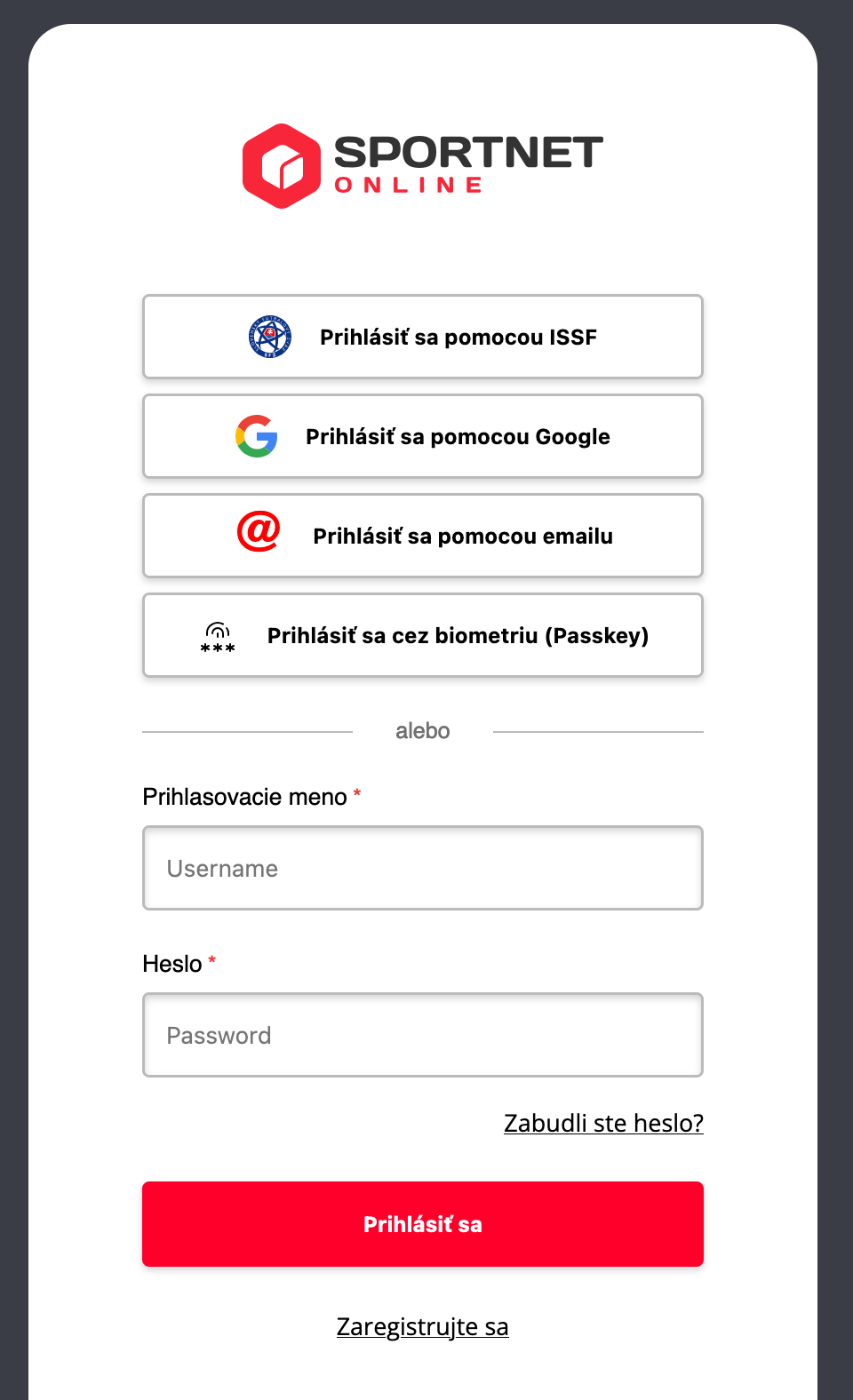
Users can now log in using their passkey instead of a password.
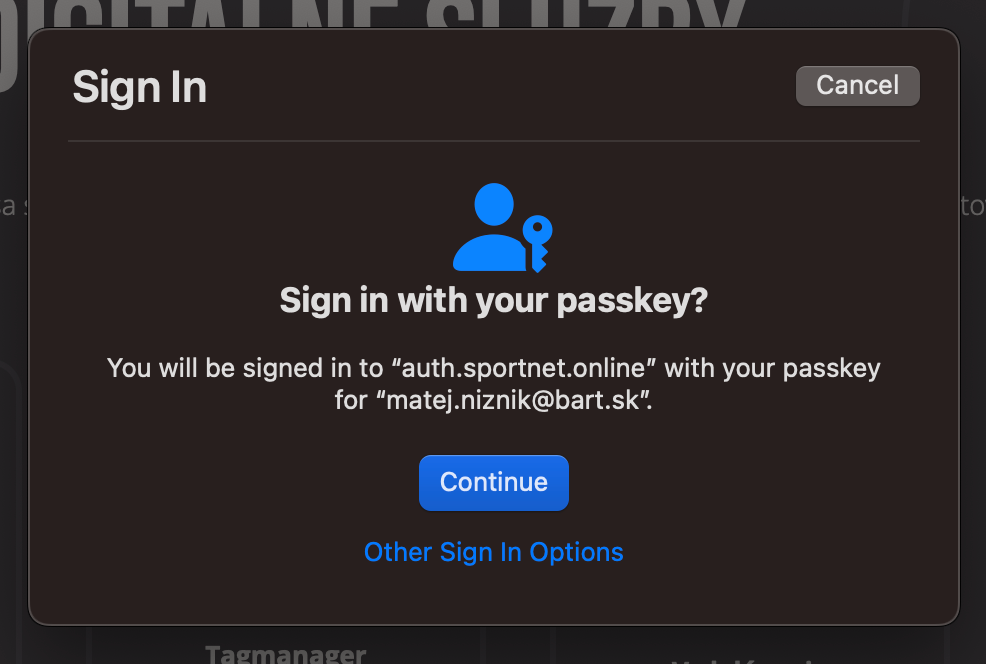
Upon selecting this option, the system prompts for biometric authentication again. The passkey may include the login name, but users no longer need to remember it, as they can simply select from stored accounts in their password manager.
Support and Future Outlook
Passkeys may be a relatively new technology, but they are already transforming the way we perceive online security, and their adoption continues to expand.
Currently, they can be used on:
- Apple devices via iCloud Keychain.
- Windows devices with passkey support through Windows Hello.
- Google Chrome and Android devices linked to a Google account.
- Other desktop browsers that support selected password managers and USB security keys.
- Password managers like Bitwarden and 1Password, which are gradually adding support for web browsers.
With growing adoption, biometrics and passkeys are becoming the new standard for secure and convenient authentication. If they were widely implemented across all platforms, a breach like the one in 2024 would never happen again.
However, security is an ongoing battle—every time we advance to a higher level, hackers try to catch up. That’s why we continuously innovate, protect, and push technology forward to stay one step ahead. Safeguarding our clients’ data is always worth the effort.
Sources:
Want to enhance your website’s security with biometric authentication?
Frequently Asked Questions About Passkeys
Why should I replace my passwords with passkeys?
Because passwords are vulnerable to leaks, phishing, and reuse. Passkeys are stored only on your device and verified through secure cryptographic signatures, greatly reducing the risk of misuse.
Do I need special hardware to use passkeys?
No. All you need is a modern device with biometric support (like fingerprint or face recognition) and a password manager that supports passkeys – such as Apple Keychain, Windows Hello, a Google account, or 1Password.
Are passkeys suitable for businesses?
Yes. Passkeys offer stronger security and better user experience, making them ideal for web platforms, internal systems, or customer portals. They also reduce password-related IT costs and improve trust.
Can I use passkeys across multiple devices?
Yes, if you use a password manager or cloud service that syncs your keys between devices. Apple, Google, and Microsoft already support this functionality.
What happens if I lose the device with the passkey?
Passkeys can be synced across multiple devices or backed up in the cloud. If you lose one device, you can use another or restore access using your account backup – just like with passwords.
Are my biometric details (like fingerprint) ever shared?
No. Your biometric data never leaves your device. It is used only locally to verify your identity. The passkey itself is never transmitted – only a secure signature is sent to confirm login.