
From 2 August 2026, new transparency rules under the European AI Act will start to apply. Companies will need to review how they use AI chatbots, realistic images, videos, voice recordings and selected texts on their websites, online stores and applications.
Users should be able to easily understand when they are communicating with AI and when they are viewing content that has been created or modified by artificial intelligence.
1. An AI chatbot should inform users right from the start
The first obligation applies to systems that communicate directly with people. This includes AI chatbots, virtual assistants, voice assistants and automated customer support.
Users should know from the first interaction that the responses are generated by AI. This information can be included in the chat name, welcome message or introductory screen.
For example: I am an AI assistant and I can help you choose the right product.
This kind of label immediately explains what type of support the user is interacting with. When implementing it, it is also important to think about mobile display, accessibility and all the places from which the chat can be opened.
2. A realistic AI image needs clear labelling
For images, the rules mainly apply to content that may look like a real photograph of a person, product, place or event.
In ecommerce, this may include for example:
- a virtual person presenting a product,
- a product placed in a realistic AI-generated scene,
- an AI-generated interior or environment,
- a significantly edited photograph,
- a visualisation of an event that looks like a real-life shot.
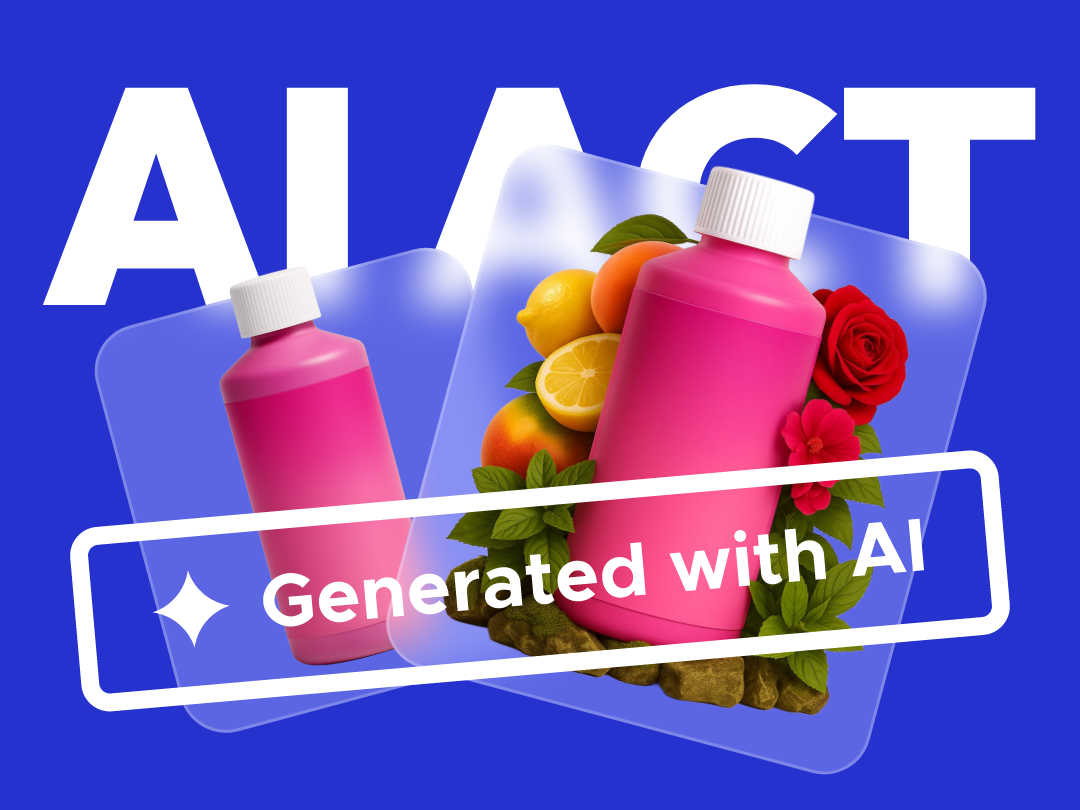
The label should be clearly connected to the specific image. It can be placed directly in the corner of the image or immediately below it.
Depending on how the image was created, the label may say for example:
Image created using AI
or:
Image modified using AI
The European Commission has also prepared voluntary icons for AI-generated content. An icon can help visually unify the label, while a short text explains exactly what it means.
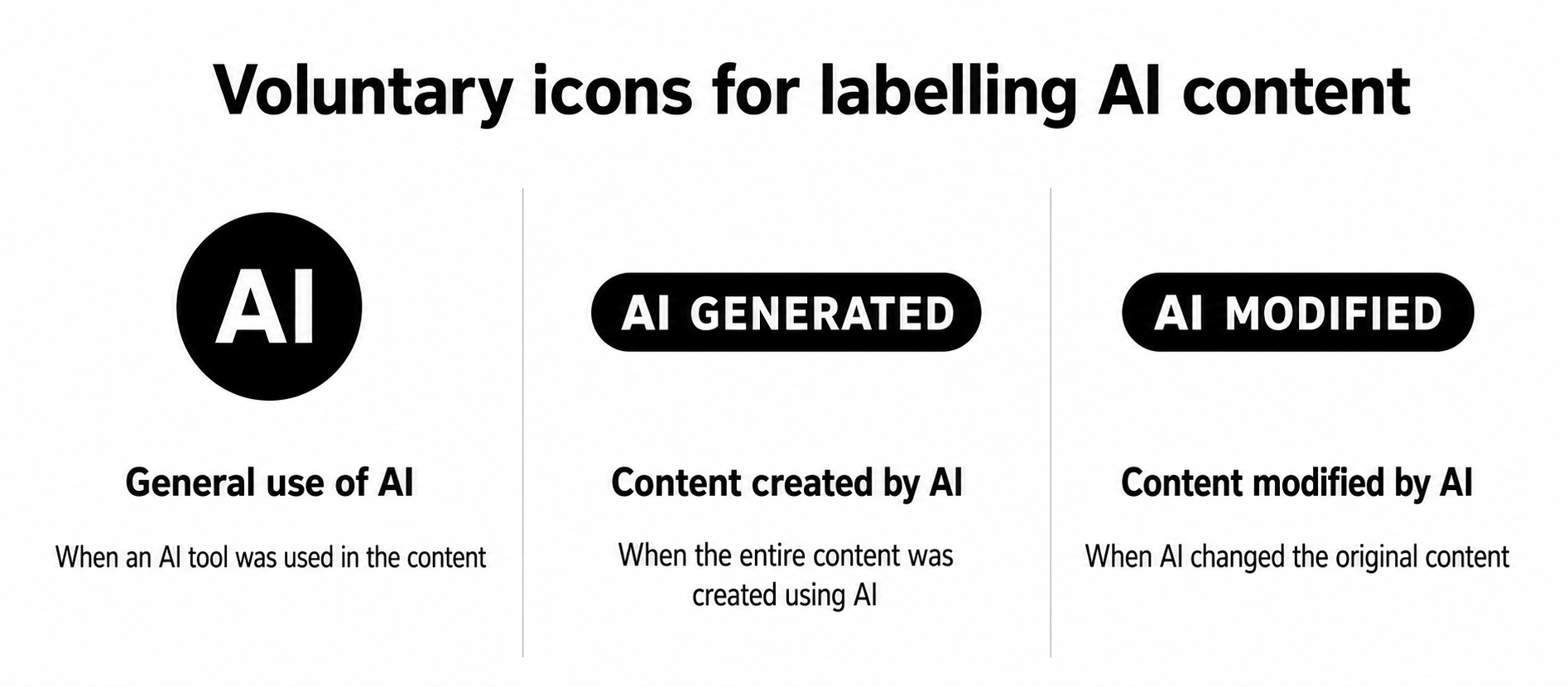
When implementing labels, it is worth thinking about image sharing and downloading as well. A label placed directly into the visual remains part of the image even outside the original page. Providers of generative AI systems should also ensure technical labelling of outputs, for example through metadata.
3. AI video and voice should be labelled during the relevant part
For video and audio, it is important to consider which part of the content was created using AI and how realistic it appears.
If the entire video was created using AI, users should receive this information from the beginning of playback.
For example:
Video created using AI
For realistic AI-generated video, the safest approach is to keep the label visible throughout the entire playback. This way, the information remains visible even when the video is shared or opened outside the original page.
If a video combines real footage with an AI-generated scene, the label can be shown throughout the entire AI-generated section:
This scene was created using AI
This allows viewers to immediately understand which part is original and which was created using AI.
A similar principle applies to voice recordings. An AI-generated or AI-imitated voice can be labelled with text in the player, information in the video or a short notice at the beginning.
For example:
The voice in this recording was created using AI.
4. AI-generated texts only need to be labelled in selected cases
Standard texts in an online store, such as product descriptions, category names, advertising copy, newsletters or social media posts, do not need to be labelled simply because AI helped create them.
Labelling mainly applies to texts on matters of public interest, such as politics, elections, public health, safety, the economy or public institutions. If this type of content was created using AI without human editorial review, it should be labelled, for example, with the sentence:
This text was created using AI.
The label can be placed near the headline, author name or at the beginning of the article. However, the text does not need to be labelled if a person reviews it, edits it, approves it and the company takes responsibility for it.
How to label AI content on a website
Quick overview: How to label AI content on a website?
| Content type | Recommended label | Placement |
|---|---|---|
| AI chatbot | I am an AI assistant. | In the chat name or introductory message before the conversation begins |
| Full AI-generated image | Image created using AI | Directly on the image or immediately next to it |
| Modified image | Image modified using AI | Directly on the image or in a clearly connected caption |
| Full AI-generated video | Video created using AI | From the beginning; for realistic content, ideally throughout the entire playback |
| AI scene in a real video | This scene was created using AI | Throughout the entire AI-created or AI-modified section |
| AI voice | Voice created using AI | At the beginning of the recording and in the player interface |
| AI-generated text on a matter of public interest | Text created using AI | Near the headline, author name or at the beginning of the publication |
The form of labelling can be adapted to the format and user interface. What matters is that users notice the information as soon as they first interact with the AI system or AI-generated content.
What should you focus on before 2 August 2026?
- Map your use of AI
Review chatbots, images, videos, voice recordings and texts that are shown to customers. - Decide what needs to be labelled
Set clear rules for each type of content. Decide when content is considered AI-generated, when it is AI-modified and what label should be displayed. - Choose where the label will appear
For a chatbot, this may be an introductory message. For an image, it may be a label within or next to the visual. For video, it may be a text overlay, and for audio, information in the player or at the beginning of the recording. - Review already published content
Check especially realistic AI-generated images, videos and voice recordings that you already use on your website. Add labels based on how they are displayed and where they may be shared. - Automate labelling
For larger volumes of content, it makes sense to add labelling directly into the administration system. When uploading an image, video or text, the user can select whether the content was created or modified using AI. The system can then automatically add the correct label, text, icon or metadata.
This kind of solution simplifies the work of editorial teams and ensures a consistent labelling process for every new output. At bart.sk, we can help you map your use of AI, define clear rules and build an automated labelling system directly into your website, online store or application.
Frequently Asked Questions
When will AI content labelling become mandatory?
Transparency rules under Article 50 of the European AI Act will start to apply from 2 August 2026. They mainly concern AI chatbots, realistic images, videos, voice recordings and selected texts on matters of public interest.
Does every piece of content created using AI need to be labelled?
No. The obligation mainly focuses on user interaction with AI and on realistic image, audio or video content that may appear authentic. For texts, specific rules apply to content on matters of public interest.
Does an online store need to label product descriptions created using AI?
Standard product descriptions, category names, SEO texts, newsletters, ads or social media posts do not need to be labelled simply because AI helped create them. For texts, the obligation mainly applies to content about politics, public health, safety, the economy or other matters of public interest.
Does an AI chatbot on a website need to be labelled?
Yes. Users should know from the first interaction that they are communicating with an AI system. This information can be placed in the chat name or introductory message, for example: “I am an AI assistant and I can help you choose the right product.”
Which AI images need to be labelled?
Labelling mainly applies to realistic images created or modified using AI that may look like a real photograph of a person, product, place or event. In an online store, this could include a virtual person presenting a product or a product placed in a realistic AI-generated scene.
Does an image need to be labelled if AI only modified it?
Yes, if the modification created realistic content that the user may perceive as authentic. The label may say, for example, “Image modified using AI” and can be placed directly in the visual or immediately next to it.
What is considered a deepfake under the AI Act?
A deepfake is image, audio or video content created or modified using AI that resembles a real person, object, place or event and may appear to be an authentic recording.
How long should the label remain visible in an AI video?
For a fully realistic AI-generated video, it is advisable to show the information from the beginning and keep it visible throughout playback. If only one scene in a real video was created using AI, the label can remain visible throughout that section. This helps users immediately recognise which part was created using AI.
How should an AI-generated voice be labelled?
The information can be included at the beginning of the recording, directly in the video or in the player interface. For example: “The voice in this recording was created using AI.”
When does AI-generated text need to be labelled?
Labelling mainly applies to texts on matters of public interest, such as politics, elections, public health, safety, the economy or public institutions. However, the text does not need to be labelled if a person reviews it, edits it, approves it and the company takes responsibility for it.
Where should the AI content label be placed?
The label should be clearly connected to the specific content. For an image, it can be placed directly in the visual or immediately next to it. For video, it can appear in the picture. For audio, it can be included in the player or at the beginning of the recording. For text, it can appear near the headline, author name or at the beginning of the article.
Are the European AI GENERATED and AI MODIFIED icons mandatory?
No. The icons prepared by the European Commission are voluntary. A company may also use its own text or graphic label, as long as the user clearly understands that the content was created or modified by AI.
Is it enough to label an AI image or video in the page description?
The label should remain clearly connected to the content when it is displayed. For images and videos that may be downloaded or shared outside the original page, a label placed directly in the visual or video may be more suitable.
Does AI content that has already been published on a website need to be labelled?
Before 2 August 2026, it is worth reviewing already published realistic AI-generated images, videos and voice recordings. If this content will remain available on the website after this date, it is advisable to add labelling based on its format and use.
Can AI content labelling be automated?
Yes. An administration system can offer a selection when content is uploaded, allowing the user to specify whether an image, video or text was created or modified using AI. The system can then automatically add the correct label, icon, text overlay or technical metadata.
Who is responsible for technical labelling of AI content?
Providers of generative AI systems are expected to ensure machine-readable labelling of their outputs, for example through metadata. The website or online store operator mainly needs to provide clear information for users and ensure the label is displayed correctly in their digital product.