

Vacation is a time to relax, explore and disconnect from daily responsibilities. But while you’re finally taking a break, your devices and accounts don’t get one.
Public Wi-Fi, phishing messages, or quickly logging into various services can do more harm than good. The good news? A few simple habits can keep your digital life safe — so you can enjoy your trip without stress, unexpected complications, or worrying about your data.
That’s why we’ve prepared 5 practical tips to help keep your devices and data protected — wherever you’re headed.
1. Set up your VPN before you travel
Why it matters:
Public Wi-Fi networks at hotels, cafes or airports are often unsecured or poorly encrypted. That means the data you send over them can be intercepted by others on the same network. If you connect, you risk having your communication monitored or your login details, emails — even banking info — stolen.
What to do before you go:
- Choose a VPN with a no-log policy (like NordVPN, ExpressVPN, or ProtonVPN) and test it at home before your trip.
- If you don’t use a VPN, enable HTTPS mode in your browser — it encrypts web traffic and helps protect your data.
- Turn off Wi-Fi when you’re not using it — it reduces the chance of exposure.
2. Back up your data
Why it’s important:
Losing your phone or laptop means more than losing a device — it could mean losing photos, contacts, documents, and access to important accounts. That’s why regular, reliable backups are a must.
Don’t forget to:
- Enable automatic backups for your photos, contacts and documents before you leave, and double-check that everything was saved properly — especially if you’re taking a longer trip.
- Using a laptop too? Back up your personal and work files to an external drive or a secure cloud service.
- Consider backing up your passwords using a password manager (like 1Password or Bitwarden) so you can access your accounts even if something goes wrong.
- Make sure you can log into your password manager from another device — not just the one you’re taking with you.
3. Lock down apps with sensitive data
Why your phone’s PIN isn’t enough:
Even if your phone is password protected, adding another layer of security is a smart move. If someone gains access to your device, unprotected apps are an easy target. Many apps allow you to set up extra verification — like a password, PIN, or biometric login (Face ID or Touch ID).
Here’s what helps:
- Use Face ID, Touch ID or a strong password to secure important apps.
- Update your passwords regularly and don’t reuse them across apps.
- Enable two-factor authentication wherever possible.
4. Watch out for fake messages and suspicious requests
What to look out for:
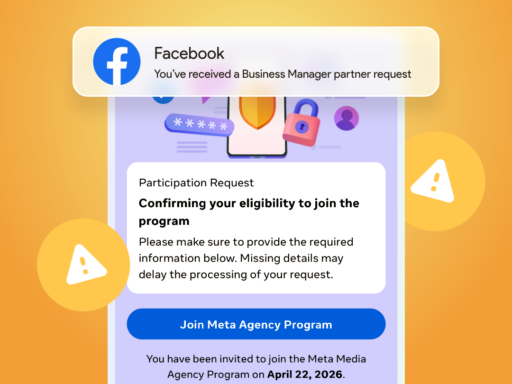
While traveling, you’ll likely use new services, register for hotel apps, book taxis, or reply to airline messages. This increases the risk of encountering phishing scams.
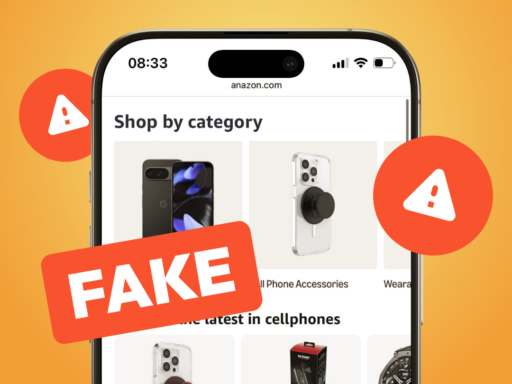
Fake SMS, emails or app notifications might look like they’re from your hotel, airline or taxi service — but are actually trying to steal your login credentials, card numbers or other sensitive info.
How to stay safe:
- Never share personal details or passwords via SMS, email or chat — no legitimate company will ask for them this way.
- Only click links from official apps (like Booking, Ryanair or Bolt), not from messages or unknown numbers.
- If someone sends you a link, check that it starts with https:// and ends in a trusted domain (.com, .sk, .eu). Avoid odd endings like .ru or .xyz, or suspicious domains like booking-confirm-now.ru.
5. Have a backup plan in case your device is lost or stolen
Why you should plan ahead:
Imagine you’re at the airport in Barcelona and someone grabs your phone from your pocket. You’ve lost your boarding pass, can’t access your email, can’t call a cab and don’t remember your hotel’s name. That’s when you’ll be glad you thought ahead.
What can save you:
- Set up backup email addresses and phone numbers. For example, if you use Gmail, add a second email (or your partner’s email) so you have a way to recover access if your phone gets lost.
- Download key travel documents — boarding passes, hotel details, confirmations — to another device or print them out. Store them in the cloud (Google Drive, Dropbox) so you can access them from anywhere.
- Enable the option to find, lock or erase your phone remotely (via “Find My iPhone” or “Find My Device”).
Quick checklist for a secure digital vacation
- ☐VPN installed and tested — ready to use on public Wi-Fi.
- ☐All important files, photos and contacts are backed up in the cloud.
- ☐Devices auto-lock when idle, and require PIN or biometric login.
- ☐Sensitive apps (e.g. banking, email) are locked with an extra password or Face ID.
- ☐Unknown links are always verified — better to use the official app than risk a phishing trap.
- ☐Backup email and security questions are set up for key accounts.
- ☐Recovery codes are stored safely, outside the phone — e.g. in your wallet.
- ☐Phone tracking and remote wipe features are activated.
Final thoughts
Even when you’re on vacation, your phone, accounts and data are more exposed than usual. That doesn’t mean you need to panic or carry around extra gear — just take a few smart precautions ahead of time, and you’ll be ready for anything.
Once you’ve ticked off this checklist, it’s time to set your out-of-office reply, mute the notifications, and truly unwind. Because the best part of vacation is knowing your data is safe — no matter where you are.
Wishing you a stress-free vacation and a secure connection — wherever your summer takes you.
Travel Cybersecurity FAQ: How to Stay Safe on Vacation
Why should I use a VPN while traveling?
Public Wi-Fi networks in hotels, cafes, and airports are often unsecured. A VPN encrypts your internet connection, preventing hackers from intercepting your login credentials, emails, or payment details. It’s best to install and test your VPN before your trip.
What should I back up before going on vacation?
Make sure to back up photos, contacts, important documents, passwords, and any work-related files. Store your backup in the cloud or on an external drive, and double-check that you can access it from another device in case your phone or laptop gets lost or stolen.
Isn’t a phone PIN enough to protect my apps?
A PIN protects your device, but once it’s unlocked, sensitive apps (like banking or email) are often wide open. Lock these apps separately with a password or biometric login, and enable two-factor authentication for extra protection.
How can I spot phishing scams while traveling?
Watch out for messages pretending to be from hotels, airlines, or ride services. Always check if the link leads to the official website (e.g. booking.com), and never share personal info via text or email. When in doubt, use official apps only.
What should I do if my phone or laptop gets lost or stolen?
Make sure you’ve enabled tools like Find My iPhone or Find My Device so you can track, lock, or wipe your device remotely. Keep important info stored elsewhere — in the cloud or even printed — and set up a recovery email or phone number to regain access to your accounts.