
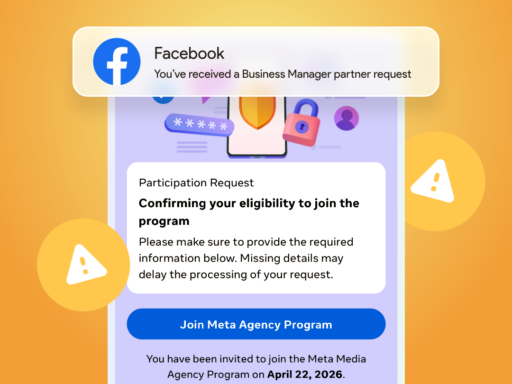
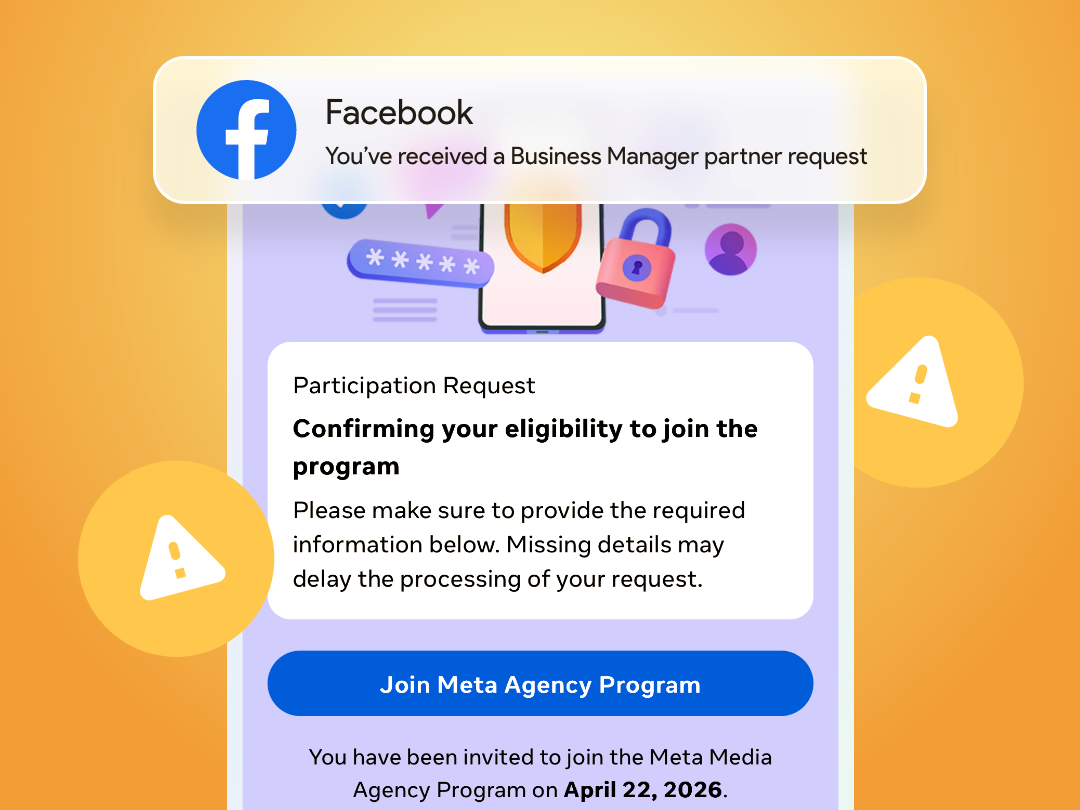
I received an email from Meta for Business. At first glance, it looked completely routine – a notification that we had received a partner request in Business Manager. The kind of message you open, click through, and handle in a matter of seconds. One question made me pause – who would be sending this to us? At the moment, we’re not working with any new agency.
The email looked trustworthy. Proper format, header, design, structure, language, sender – even a “Protect yourself from fraud” section. Everything fit perfectly into the Meta environment. The sender even had a blue verification badge next to the name. Nothing felt off. Nothing suspicious.
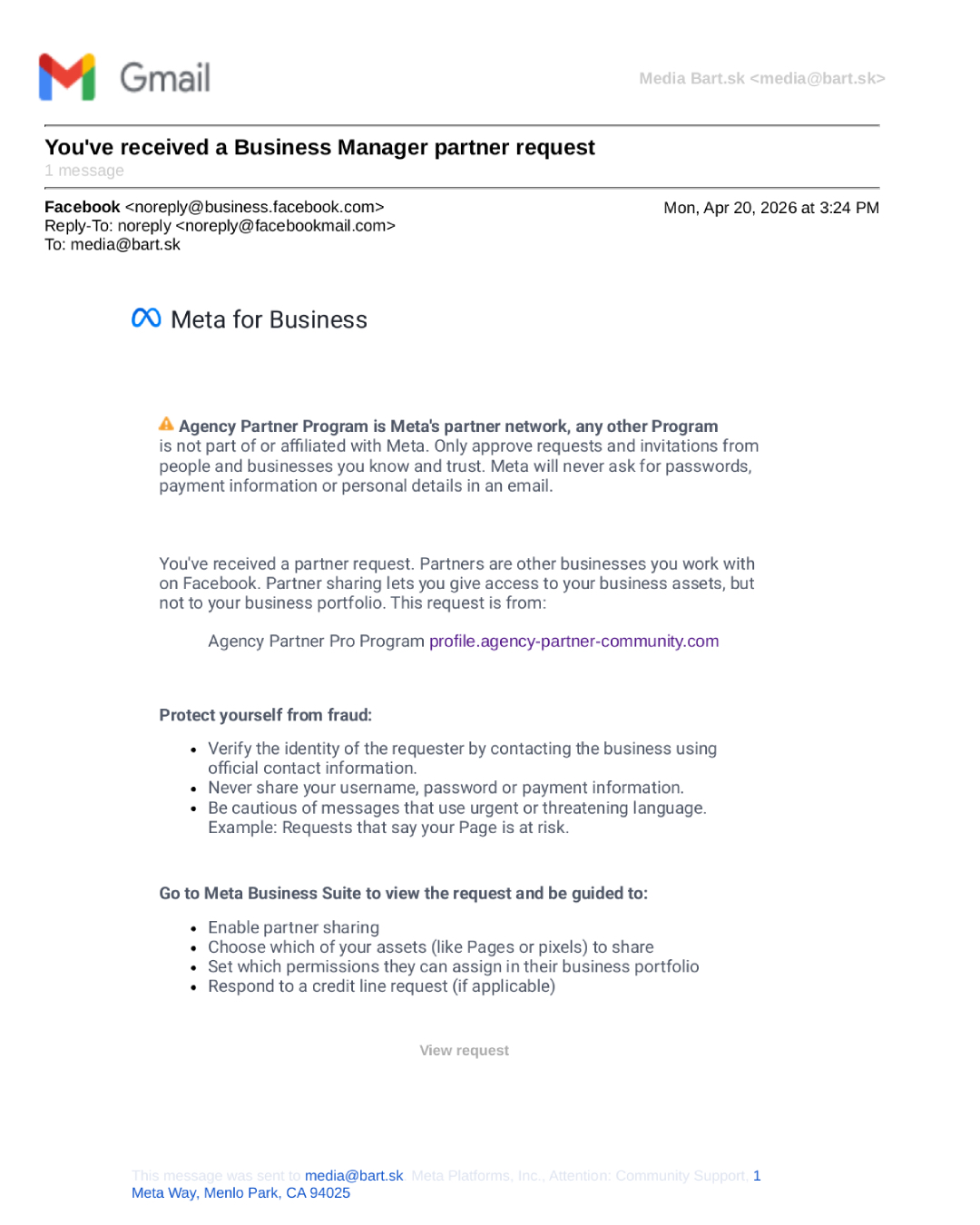
Could it just be a bug?
The View request button redirected me to our Business Manager. But the request wasn’t there. It could have been just a glitch – Facebook does occasionally send incorrect notifications. So I clicked the alternative URL provided in the email.
The page I landed on looked exactly as it should – smooth loading animation, correct favicon, a realistic ticket ID, submission date… everything looked like a standard process.
I tried navigating further. The menu looked extensive, but most items weren’t clickable. The page appeared complete, yet you couldn’t really move through it.
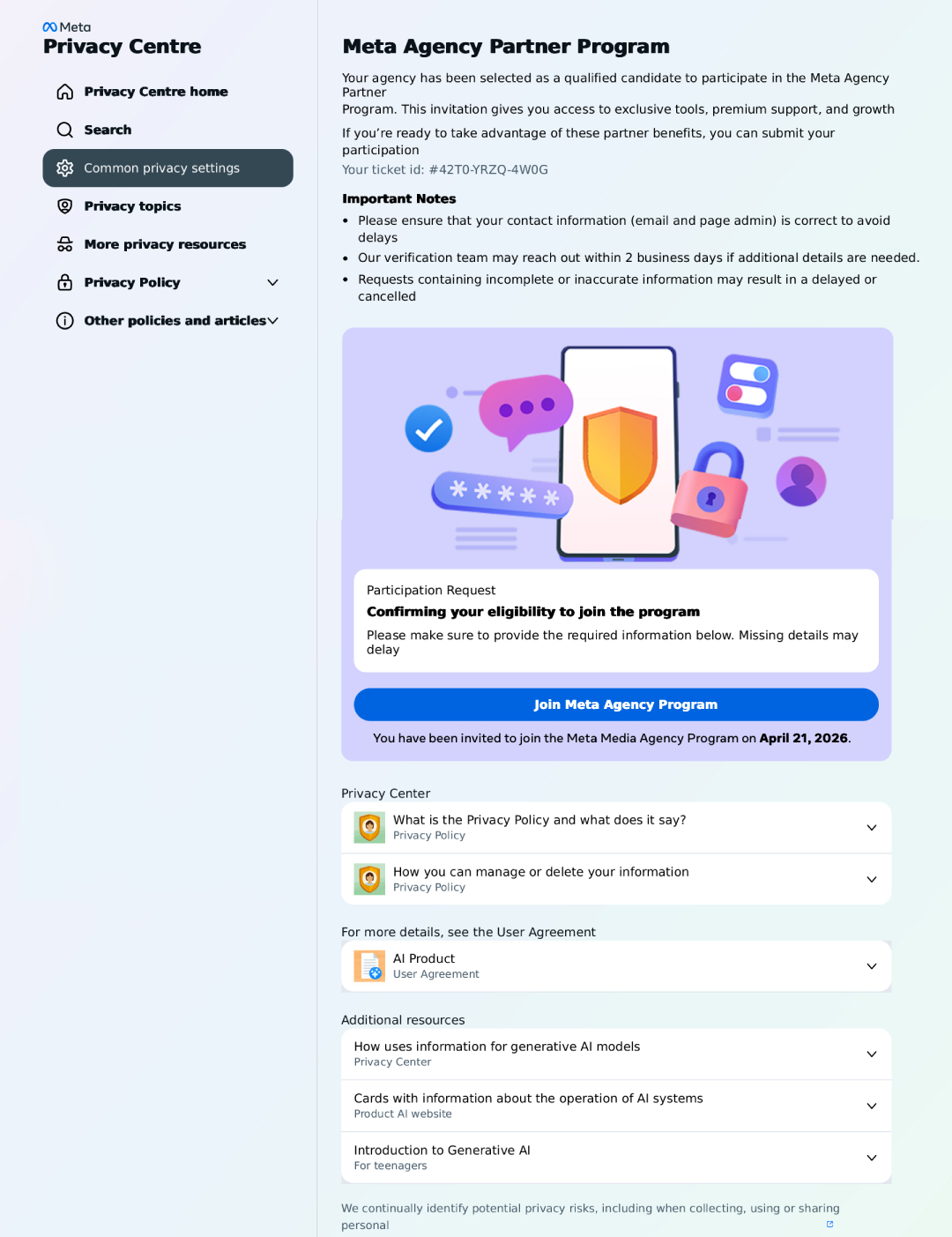
Only the form worked. And that’s where I stopped.
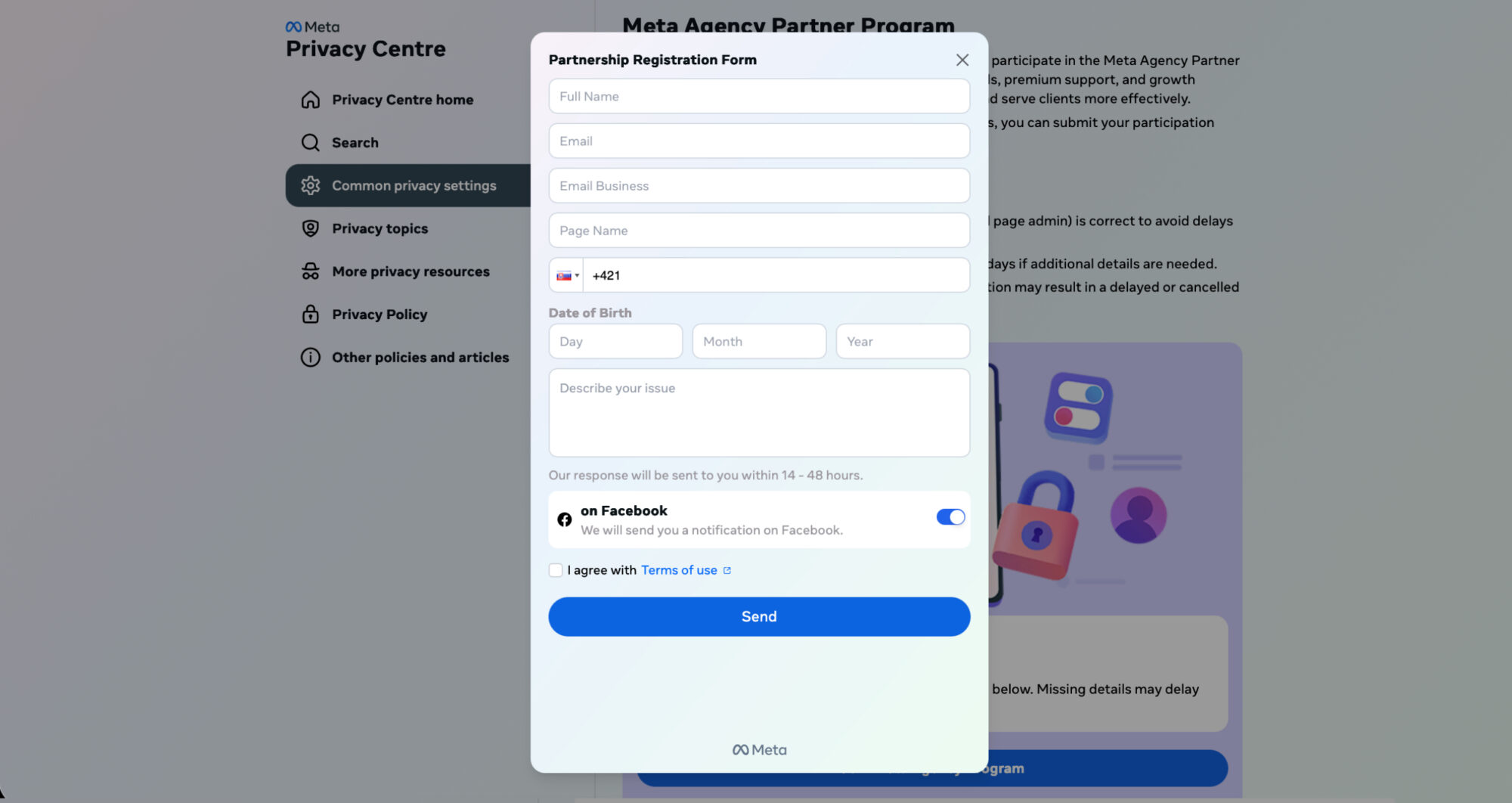
Name, email, phone number, date of birth, issue description? That didn’t make sense. Not because it looked wrong, but because it didn’t fit the context. If someone is requesting a partnership, the process works through existing accounts and permissions – not by collecting personal data through a form.
Warning signs
I went back to the suspicious page, copied its content, and ran it through ChatGPT. The response was immediate – several elements didn’t align with a legitimate partner request:
- random “selection” into a partner program with no context
- an external domain mimicking the Meta environment
- a form collecting personal data that doesn’t belong in this process
- a mix of a legitimate email and a request from a third party
- everything looks correct – no pressure, no obvious mistakes
At the same time, another identical email arrived. Everything was the same – only the partner name and URL changed. Suddenly it was Agency Partner Pro Program (support365.agency-partner-community.com), and shortly after Agency Impact Partner Program (support2364.agency-partnerhub-platform.com).
At that point, it was clear this wasn’t random. It was a repeated pattern using real Meta emails to distribute fake links and collect personal data.
Uncomfortably convincing
The most interesting part isn’t that this is a scam. It’s how well it’s built. The email itself is legitimate – very likely coming from Meta’s actual system, which someone is abusing. It doesn’t ask for passwords, doesn’t feel aggressive, and doesn’t push urgency. It blends seamlessly into everyday work.
The only place where it breaks is context.
If I had been expecting a request from an agency at that moment, I would have likely filled out the form.
That’s exactly the strength of these attacks – they don’t stand out, they fit in.
Details make the difference
Security is no longer about whether something looks trustworthy. We’ve moved far beyond that. What matters now is whether it makes sense in the moment.
This email made sense. The page that followed did too. That’s why these attempts are becoming more convincing – they don’t raise alarms, they blend into the everyday tasks we want to get done quickly.
The same principle applies elsewhere. An email about a delivery that needs updating. A message from an insurance company asking to confirm details. A request to verify a service. When it matches what you’re currently dealing with, it feels natural.
And that’s exactly when details matter most.
If you’re not sure, take one extra step – verify it outside the email. Google, forums, or tools like ChatGPT can help. Just remember to use them critically – they can be wrong too.
Frequently asked questions about fake emails and partner requests
How can you recognize a fake Meta email?
Fake emails today often look completely legitimate – correct design, language, and sender. The difference is not in appearance, but in context. If you don’t know why the email arrived or it doesn’t fit your current situation, it’s worth verifying.
Is an email from noreply@business.facebook.com safe?
The email itself may be legitimate, but that doesn’t mean the request inside it is safe. Meta only notifies you about activity – the request itself can be created by a third party.
What is a partner request in Meta Business Manager?
A partner request is a request for access to business assets such as pages, ad accounts, or pixels. It should always have a clear reason, a known sender, and be tied to a real collaboration.
Why is a form asking for personal data suspicious?
Legitimate partnerships are handled directly within Business Manager by assigning permissions. Collecting personal data through an external form does not belong to this process and is a common warning sign.
How can you verify if a request is legitimate?
The simplest way is to check it directly in Business Manager and see if it fits your current work. It also helps to verify it outside the email – for example through your team or trusted tools.
Why are these scams becoming more convincing?
They avoid pressure and obvious mistakes. Instead, they blend into normal workflows and everyday tasks, making them much harder to detect.
Can AI help verify these situations?
Yes, AI can quickly highlight suspicious elements or inconsistencies. However, it is still just a tool – understanding context and making the final decision is up to you.